- Prof. Dancy's Site - Course Site -
Project 1: Simple agents in Malmo
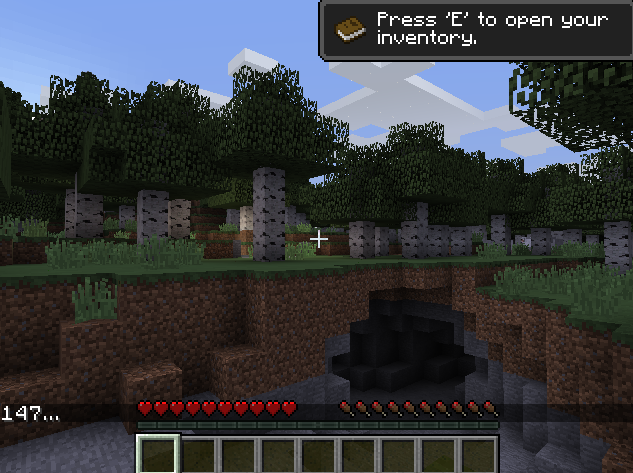
There are 3 major projects in this course. For this project (as well as future projects), it is strongly recommended that you work with a partner. However, you will need to work with a different partner for each project.
Obligatory...
This assignment will give you an opportunity to practice working with:
- streams and character strings
- python container class (list)
- object-oriented programming, class inheritance, and operator overloading
- error processing and exceptions
- good coding style
- algorithm analysis
Problem Overview
Your task is to write python files that will be used with supplied files so that an intelligent agent can roam a Minecraft environment, collect certain items, and use those items to cook a rabbit. (Don't worry non-meat eaters...this is just a digital rabbit in Minecraft world.)
- The agent is represented as the
MalmoAgentobject - The agent will have an
inventoryrepresented as a python list- Each element of the
inventoryshould be anItemobject
- Each element of the
- The agent will have
actionsrepresented as a dictionary that represents goal-action pairs- For each key-value pair:
- The key should be a goal that is represented as a string
- The value should be a python list of
Actionobjects
- For each key-value pair:
- The agent will log it's inventory as it gets updated
- You'll need to write to an output file (which has its name specified by item_log in the MalmoAgent class constructor) every time the inventory is updated
Provided Files
MainPhase1.pyeither run this file in IDLE or enterpython MainPhase1.pyin a terminal to run the programMalmoAgent.pyThis is the file where you'll do all of your coding- You should not change the header for any methods already provided (e.g., you should keep
def update_inv(self, inv_list):exactly as it is provided)!
- You should not change the header for any methods already provided (e.g., you should keep
actions.txtThis file should not be edited, you will read it in and process it using your MalmoAgent classThe Malmo/Minecraft softwareThis is the software that you'll need to run a Minecraft server on your machine.
Java 8
- You need Java 8 for this project. There's a chance that you don't have it if you're on a newer computer.
- You can check your java version by going to the shell/cmd and typing
java -versionif you see java 8 or java 1.8, you should be fine. - If you don't have Java 8 you might want to stick to mostly using the lab computers.
- Otherwise, Project Malmo has a link to an existing open Java 8 that can be downloaded - https://adoptopenjdk.net/
Getting Started with Malmo
Create a virtual Environment for the Python dependencies that you'll install for the project:
1. On any platform (Mac/Linux/Windows)
Create a virtual environment called malmoEnv
username$ python3 -m venv malmoEnv
2a. On a Mac/Linux machine, in the terminal
Activate environment called testEnv
username$ source malmoEnv/bin/activate
(Do not do this until you want to not use your virtual environment anymore)
To deactivate any virtual environment you are in
$ deactivate
2b. On a Windows machine, in cmd
Activate environment called malmoEnv
malmoEnv\Scripts\activate.bat
(Do not do this until you want to not use your)
To deactivate any virtual environment you are in
deactivate
You should see the name of your env next to your command line in the terminal/shell now, this is how you know that your virtual environment is activated
- For example it may look like this -
(malmoEnv) Labcomputer:project user1234$
Install the dependencies needed with pip
- Ensure you have your virtual environment loaded (see the example above)
- Ensure you have your virtual environment loaded (see the example above)
- Ensure you have your virtual environment loaded (see the example above)
- ... (if you type
which pythonin terminal orwhere pythonin cmd, you should see the path to your virutal environment listed first)
(malmoENV) username$ python -m pip install gym lxml numpy pillow
Congrats, you should all you need installed! Now let's move on to getting the files you need
Running the Malmo/Minecraft server
- Take the zip file provided on Moodle & unzip it to some directory where you can easily find it
- I'd suggest something akin to placing it within a new folder in your home directory (e.g.,
~/malmo/)
- I'd suggest something akin to placing it within a new folder in your home directory (e.g.,
- In a second terminal window (separate from the one where you'll run your python commands):
- Navigate to the directory where your
Minecraft&Schemasfolders are located (the folders contained in the zip) - On Windows run the batch file
Minecraft\launchClient.bat -port 9000 -env - on Mac/Linux (your own computer) run the shell script
username$ sh Minecraft/launchClient.sh -port 9000 -env - On Linux (The Lab computers) load, java 8, then run the shell script
username$ module load java/1.8
username$ sh Minecraft/launchClient.sh -port 9000 -env
- Navigate to the directory where your
Running your agent
- Ensure that your server is up and running!
- In a separate terminal/cmd prompt activate your virtual environment
- Run the python command to start your main python file:
username$ python MainPhase1.py
- This should cause you to see the agent on the screen in a new environment on the Minecraft game screen! As you complete more of the agent, more of it will work correctly.
Hint:
- If you're debugging your code and want to stop your agent before the mission end (or you seem to be stuck in a loop)
- Navigate to the shell/cmd/IDLE that you used to run your agent, hit
ctrl+c - This will allow you to start the agent back up w/out having to restart the server
- If you exit on the server side 1st (e.g., Quit to the main screen), you will have to hit
ctrl+cto restart/rebuild the Minecraft server!!!
- Navigate to the shell/cmd/IDLE that you used to run your agent, hit
Phase 1: A simple agent
+ **Due:** Wednesday, 18-September, 11:55pm
+ **Submission:** Submit your MalmoAgent.py and nothing else to Google Classroom
+ **Group-Work:** You can only work either in groups of 2 or individually. No groups of 3!!!
Receiving information from the server
The agent will receive periodic updates about its environment from the Server. It is up to you to make it so the Agent object can store that information internally and the main program can use the information as needed.
The goal for your agent: Collect all the items and "cook" a rabbit!
MalmoAgent class
Has at least three attributes (I've filled these in for you already :-))
- The agent will have an
inventoryrepresented as a python list- Each element of the
inventoryshould be anItemobject
- Each element of the
- The agent will have
goalsrepresented as a dictionary that represents goal-action pairs- For each key-value pair:
- The key should be a goal that is represented as a string
- The value should be a python list of
Actionobjects
- For each key-value pair:
Must have an update_inv method that updates the internal representation of the inventory based on a list supplied as an argument (see code for more detail)
-
The agent must keep a log (external file named
ItemLog.txt) of the inventory and create a new line for the inventory when it changes (e.g., see the example video provided)- In other words, every time this method is called, the updated inventory should be logged in the log file
-
the inventory list provided as an argument is a list of Item objects that looks like the following:
[Item1, Item2, ...]- Also note that each item will always have a name and size, but it might not have a variant and/or color.
-
Must have a
get_actionsmethod that gets the actions dictionary -
Must have a
get_itemmethod that gets a specified item given an input index (an integer) -
Must have an
in_inventorymethod that checks whether there exists an item in the inventory with an input name (a string) -
Must have a
set_actionsmethod that takes in the action file, opens it, and assigns each goal-action pair to theactionsdictionary that you created -
Constructor must read in a file that specifies the agents available actions (provided)
- Each line represents a goal-action pair that is separated by commas. The 1st element is the goal while all following elements (delimited by a comma) are actions
- Note: I've added in a pseudo-algorithm to help guide you on what you should be doing. I would follow the algo as close as possible if I were you, but you certainly can go out on your own journey and make up your own algorithm if you see fit! :-)
No duplicates should be in the inventory list, there should be one item per space in the inventory
- This means that if you have an inventory that simply has a new "size", you should not add a new Item to the list, but instead find a way to update the Item itself
Action class
- Must be able to be converted to a string using the str() function.
- example str(my_action_obj) should give you something like '"Move 0"'' or '"turn " + str(current_yaw_delta)'
- *Notice we have a String w/in a string!
- *Hint: Look up the partition method for the string class
- Must have at least two attributes:
- A string that represents the command (e.g.,
'"move'or'"turn')- Notice that this is a string with a single double quote and the word, because that's what the actions.txt file specifies in this case!
- A string that represents the value of the command (e.g.,
'0"'or'" + str(current_yaw_delta)') - If you look at the output when you run the Main file, I show you what things should look like ("If everything is working and you are using...you should see:")
- A string that represents the command (e.g.,
- Must have a function that overrides a method to convert the command and value to a string in the form of
comm + " " + value- (e.g.,
'"move 0"'or'"move " + str(current_yaw_delta)') - This should allow me to write something like
print(action)orstr(action)
- (e.g.,
Item Class
- Must at least have the following attributes (not necessarily w/ these exact variable names):
- A string that represents an item's name
- An int that represents an item's size
- An int that represents an item's (Minecraft inventory) slot number
- Note that this is simply the index of the item in the inventory list that is input into the MalmoAgent
update_invmethod
- Note that this is simply the index of the item in the inventory list that is input into the MalmoAgent
- A string that represents an item's variant
- A string that represents an item's color
Phase 2: A simple agent with his own mind
- **Due:** Friday, 27-September, 11:55pm
- **Submission:** Submit your MalmoAgent.py and any files needed to run your version of the system to Google Classroom
For this phase, we are going to extend our item class so that as the agent picks up items, the attributes of those items change according to certain rules.
The items will have agency as they'll change as a function of the items adjacent to them.
You'll also need to create new children classes. Lastly, you'll complete an algorithm analysis on some of your code
Adding subclasses
-
We now want to add subclasses for our items
- Add at least a
PlanksandRedFlowerclass that are subclasses of your Item class- These correspond to the planks and red_flower item names, respectively
- (You can create more if you'd like, just see the main.py file under INVENTORY_ITEMS, or see this link, for some other subclasses you could create)
- Add at least a
-
All items have a
modifiedandcreatedattribute that records the date and time of the attribute (what each attribute represents is self explanatory)- Lookup the time module in the python manual to find out how to record time If An item gets modified.
Item agency rules
note that these rules mean that if you were using color as an attribute to test whether items were the same, you have to take that aspect of your test out
These rules should be applied left to right (slot 0 to slot n)
- For example, if you have to modify an item to left of your current item, then you don't have to worry about applying a rule to that left item.
If an item gets modified, then we change the color of that item and any item near it according to the following Rules
- When I say left and right below, I mean in the slot before and after, respectively
If the item to the right of the modified item is the same type of item w/ a different variant, change the color of the item to the right to the color of the modified item
- Note that all of these rules modify the item and you must, in turn, change the `modified` attribute for that particular item
| BEFORE: | Planks birch BROWN (modified) | Planks spruce WHITE |
|---|---|---|
| **AFTER: ** | Planks birch BROWN | Planks spruce BROWN |
If the item is a RedFlower AND the color of that item is WHITE AND there is a RedFlower of another variant to the left of the RedFlower, change the color of the modified flower to BLUE
| BEFORE: | red_flower poppy WHITE | red_flower dandelion WHITE (modified) |
|---|---|---|
| **AFTER: ** | red_flower poppy WHITE | red_flower dandelion BLUE |
If the item is a RedFlower and the color of that item is WHITE, change the color to RED
| BEFORE: | red_flower dandelion WHITE (modified) | Planks spruce WHITE |
|---|---|---|
| **AFTER: ** | red_flower dandelion RED | Planks spruce WHITE |
If the item is a RedFlower and the color of that item is RED, change the color to WHITE
| BEFORE: | red_flower dandelion RED (modified) | Planks birch BROWN |
|---|---|---|
| **AFTER: ** | red_flower dandelion WHITE | Planks birch BROWN |
Output to log
As before all items should be output to the log. Now you should make sure you also include the created & modified attributes
Algorithm analysis
Do an algorithm analysis on your update_inv method in your MalmoAgent class
-
Each line shows its Big O analysis in
update_inv(), including every method thatupdate_inv()calls:my_list[x+4] = w # O(1) self.num = 2 # O(1) -
Each loop shows the reps and the body and multiplies them:
for x in range (n-1): # n-1 reps y = 2 # O(1) # reps * body = (n-1) * 1 = O(n) -
if/elif/elseshow the overall Big O (the max of each branch). Each branch has a big O.if x.isA(“Planks”): # O(1) test list[y] = 4 # O(1) # test + body = 1+1=O(1) elif isinstance(x, RedFlower): # O(1) test list[y] = x # O(1) # test + test + body = O(1) else: for i in range(n): # n reps print('it works') # O(1) # reps * body = (n-1) * 1 = O(n) # test + test + body = O(n) # max(1,1,n) = O(n) -
ALL methods/functions that
update_inv()calls have Big O analysis done. -
Overall Big O analysis for
update_inv(), including the mathdef update_inv(): # 1 + 1 = O(1) my_list[v] = my_list[n] # O(1) x = y # O(1)
Creativity
- On this phase, I will give up to 10 extra credit points on creativity
- Examples of creativity
- changing the map and/or items in some way
- Adding additional actions
- Adding other rules, with an accompanying story behind the added rules
- Examples of creativity
Grading for phase 2
| Grade item | Points |
|---|---|
| GENERAL RUNNING AND OUTPUT (25 PTS) | |
| Agent completes Task (cooks rabbit) | 10 |
| ItemLog.txt is produced | 5 |
| ItemLog.txt prints out items with at least the name, size, color, and variant attributes | 5 |
| RULES (50 PTS) | |
| The item list is still only printed out when an item is created or modified | 10 |
| When an item is modified: | |
| Rule1: If the item and a item to the right have the same name, but a different variant => the item to the right gets the color of the modified item | 10 |
| Rule 2: If the item is a red_flower AND it has a color of white AND the item to the left is a red_flower of another variant => the modified item gets the color BLUE; -3 if it happens with any red_flower (regardless of color), -4 if it happens with a non-variant of red_flower to the left; -3 if it happens with any other item type | 10 |
| Rule 3: If the item is a red_flower AND it has a color of WHITE => change the color of the item to RED | 10 |
| Rule 4: If the item is a red_flower AND it has a color of RED => change the color of the item to WHITE | 10 |
| CLASS DESIGN (11 PTS) | |
| Created and Modified are represented in the Item(s) class design | 3 |
| Information hiding principles are preserved (attributes are not directly accessed from outside the class) | 3 |
| General class design - some of the complexity of the update_inv function is reduced via methods in the class | 5 |
| ALGORITHM ANALYSIS (14 PTS) | |
| Each line shows its Big O Analysis in update_inv(), including every method update_inv() calls. | 2 |
| Each loop shows the reps and the body and multiplies them | 3 |
| if/elif/else show the overall Big O() (this includes a max of each branch). Each branch has a Big O | 3 |
| Overall O answer for update_inv, including the math | 3 |
| All functions that update_inv calls have O analysis done | 3 |
| Program Crashes | -5 |
Appendix
WHAT SHOULD PHASE 1 EVEN LOOK LIKE?